
Welcome to the third instalment of our Masterclass series. We’ve discussed Uniclass and export formats and now we’re going to take you through clash detection.
Understanding clash detection in BIM
One of the benefits of working in a coordinated BIM environment is clash detection. At its simplest, it is the process of identifying where modelled elements from different disciplines occupy the same physical space. Catching issues before construction begins helps reduce costly site changes, programme delays and coordination headaches later on.
So what is a clash?
In BIM terms, a clash occurs when two or more modelled elements conflict with one another. There are three main categories of clashes; Hard – when two objects physically intersect, Soft – when objects don’t physically touch but violate required clearances and Workflow/Time-Based – elements scheduled to be installed in the wrong order.
Examples
We have a pipe clashing with a wall (this is a Hard clash, the most obvious and commonly checked) or there is insufficient maintenance space around equipment (Soft). Construction conflicts don’t tend to be identified until time data is introduced into the model.
Why does clash detection matter?
Despite the name, it’s not just about finding errors. Clash detection is about improving collaborating and decision making across the project team. It’s an ongoing process between contractors at agreed project stages, after any major design changes and before key deliverables or sign-off points. When utilised correctly, clash detection becomes a core part of quality control.
Key benefits of clash detection:
What tools do we use for clash detection?
We talked about Navisworks in our last blog about exporting, and the different export formats that come with it – NWC and NWD. NWC is the preferred format Navisworks Manage uses to compare models for clash detection. This is because the files stay linked to the Revit source and Navisworks can update accordingly every time we re-export from Revit.
Setting up models for clash detection
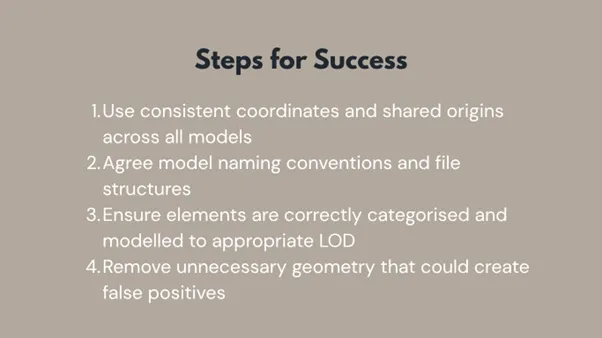
Good clash detection starts before Navisworks is even opened.
Running Clash tests in Navisworks
Once models are appended into Navisworks Manage, clash detection can begin. This is generally the responsibility of the project manager. In essence, the programme works to compare the different models, identify clashes and exports these to a table to be shared with the team. Navisworks allows teams to save and reuse clash tests making it easier to run consistent checks throughout the project lifecycle.
Typical steps in a clash test include:
Finding clashes is only half the job. Managing them properly is where the real value lies.
Once clash tests have been run in Navisworks, results should be reviewed collaboratively rather than in isolation. It’s important to note that not every clash requires action, some may be acceptable, intentional or already accounted for in the design. Reviewing at key points during the project involving all key stakeholders is essential when assessing severity and priority. While the programme can identify clashes, relying solely on software is not the answer. Your stakeholders are your experts, use their knowledge and experience.
Navisworks allows clashes to be grouped and filtered, which helps identify recurring issues and systemic modelling problems rather than treating each clash as a one-off.
Tracking clash status
Effective clash management relies on clear status tracking. Typical statuses might include:
Consistency is key here. Deciding up front what the status definitions are helps ensure everyone to understand what actions are required and avoids unnecessary revisits further down the line.
Reporting
As we said before, Navisworks enables clashes to be exported into tables or reports, which can then be shared with the wider team. These reports often form the basis of coordination meetings and design actions. Clear, concise reporting ensures design teams can quickly locate and resolve issues within their authoring software, keeping coordination cycles efficient and focused.
Properly managed clash detection creates a clear record of:
This audit trail supports quality assurance processes and provides confidence at key project gateways and sign-off stages.
Clash detection and ISO 19650 and BIM Level 2
Clash detection plays a critical role within a structured BIM workflow, particularly when aligned with ISO 19650 and BIM Level 2 principles.
Under ISO 19650, information is expected to be planned, produced, shared and reviewed in a controlled and collaborative manner. Clash detection directly supports this by acting as a quality control process, ensuring information models are coordinated, shared at the right time, and fit for their intended purpose.
Within a BIM Level 2 environment, clash detection is not a one-off exercise but an ongoing process carried out at defined project stages, following agreed standards, responsibilities and workflows. Regular clash reviews help teams manage risk, improve buildability and support informed decision-making as the design develops.
When used correctly, clash detection becomes more than just a technical check. It becomes a collaborative process that reinforces good information management, supports ISO 19650 compliance and ultimately helps deliver better-coordinated, more efficient projects.