Welcome to the first in our series of explaining BIM requirements. Today we’re going to be looking at Uniclass. Now you’re not alone if you’re not familiar with this. Unless you’re working day in day out with BIM projects then you’re unlikely to be!
Let’s get straight to it, what is Uniclass?
Uniclass 2015 is a system for organising elements. 2015 evolved from other Uniclass systems and is constantly updated, so the ‘2015’ is being dropped. From here on, we’ll just refer to it as Uniclass.
There are many classification systems – SFG20, Cisfb, CAWS, Omniclass – all with their own strengths and weaknesses depending on the usecase. Uniclass was started in the UK, but was not immediately embraced, partly because people don’t like change, and partly because the format of Uniclass is not very friendly to new users.
However it has become a dominant system because the BIM standards recognised that it is well suited to BIM projects. At its heart, Uniclass is ‘Object Oriented’, everything about an object is bundled up in 1 place. BIM is also ‘object oriented’ and so it was made a requirement in the BIM Standards (the UK Annex of BS EN ISO 19650-2.
So pretty much every BIM project requires Uniclass.
This is good because if we interrogate a wall using Uniclass we can see every aspect of its specification bound up in a single place. When we then export a wall from Revit to IFC, we can (at least in theory) bring all the relevant information with it. And if that IFC model is later imported into a building management system, the full dataset can be passed along again.
Let’s look at how we classify a project using Uniclass with an example:
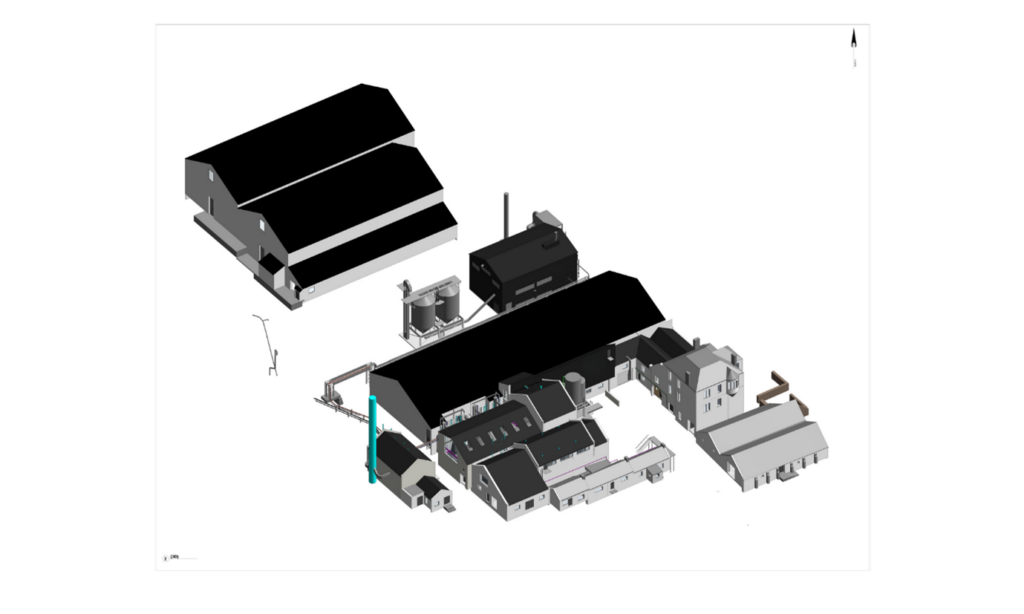
When we take a step back and view the facility as a whole, we can identify the major Entities that make up the site, such as the primary production buildings and the supporting structures around them.
Within these Entities are a variety of Spaces and Locations, each designed for specific purposes.
Some areas are set out for operational use, while others accommodate staff functions such as kitchens and bathrooms.
When we cut a slice through the model, the underlying construction Elements become visible: walls, floors, roofs, platforms, and other structural components that define the form and layout of the buildings.
Across the site, the model shows a mix of different Entity types: large industrial buildings, smaller ancillary structures, and more specialised spaces such as plant rooms or dedicated process areas.
Many spaces also support multiple Activities, for example, an administrative or office block may incorporate meeting rooms or shared work areas.
Understanding this hierarchy of Entities, Spaces, and Activities is essential when applying Uniclass, as it ensures each part of the facility is classified according to its purpose and context within the overall asset.
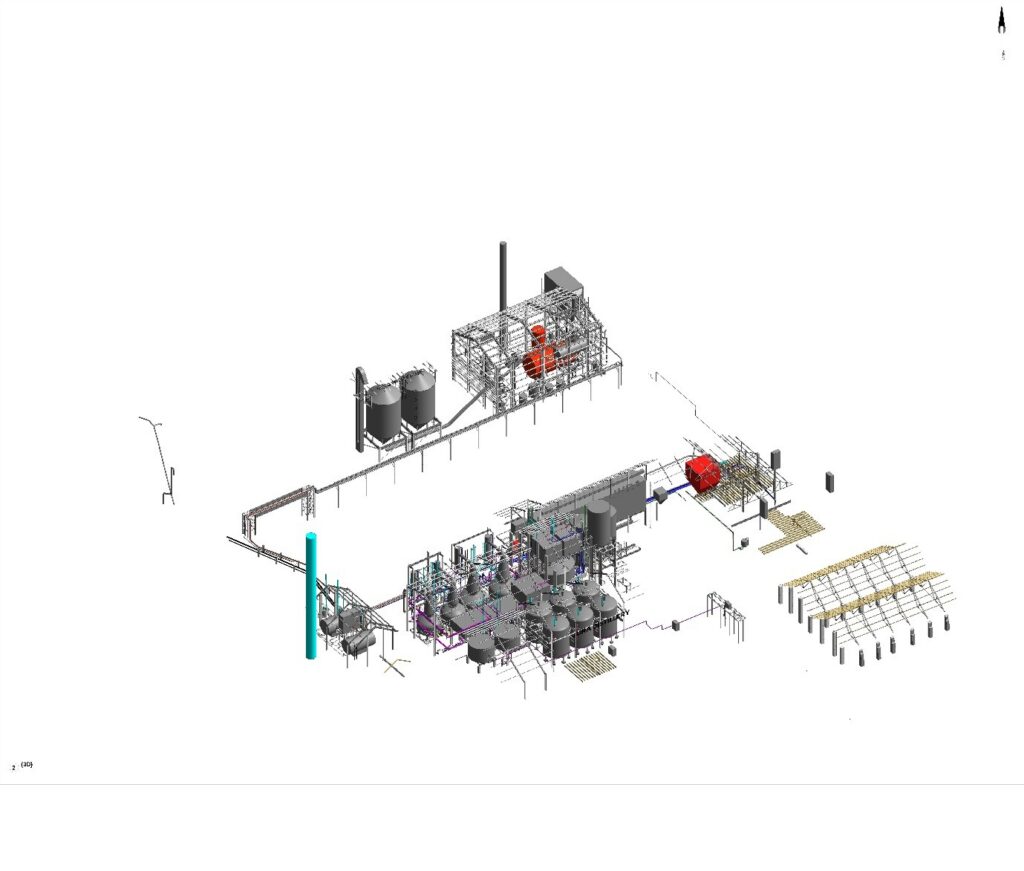
When we break the model down, we can see that the facility is made up not only of construction Elements, such as walls, floors, roofs, and ramps, but also the many Functions that enable it to operate.
These include pipework, lighting, power distribution, and other essential services. Understanding both the physical Elements and the Functional systems is key to accurately describing and managing the asset.
Elements and Functions can be used in two main ways: during design, they help define which construction components and services are required; and later, for asset management, they provide a structured way to record the Elements and Functions that already exist and will require ongoing maintenance. This dual purpose makes them valuable throughout the full lifecycle of the project.
Beyond these core Elements and Functions, there are hundreds of systems operating across the facility, from security and fire‑suppression systems to the various mechanical, electrical, and process systems visible in the model. And within each system are thousands of individual Products: valves, fittings, control panels, tiles, lamps, display screens, furniture, signs, and more. This level of detail is exactly why robust classification is so important in BIM.
More about Uniclass
Uniclass is maintained by the National Building Specification (NBS) to organise their specifications for the procurement of materials for AEC projects. NBS actively promotes its adoption through their specification‑writing tools, downloadable BIM content, and searchable product platforms.
Uniclass Tables
The Uniclass tables are a set of classifications grouped into logical arrangements, organised to provide increasingly detailed descriptions and to support specific aspects of asset management, construction projects and data processes.
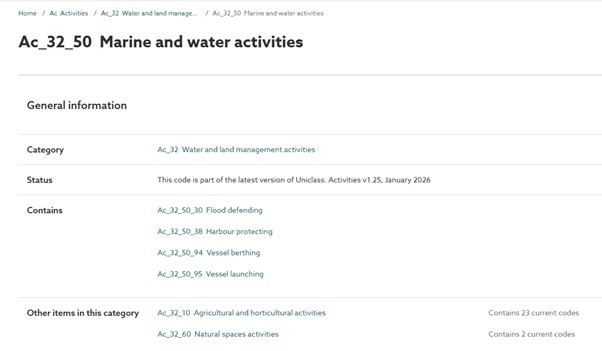
An example:
Ac Activities
Ac_32 Water and land management
Ac_32_50 Marine and water activities
Most classification systems are static, they get written once and issued and that is that. But inevitably something was forgotten, or is new or wasn’t satisfactorily considered. Anyone who has used Revit and wondered what category to model a balcony on, will have this experience. Revit’s family classification was made, stopped, and is immutable (at the time of writing!).
Uniclass however, is updated quarterly, an advisory board works with NBS and if there is a gap, they fill it, sometimes they reorganise it.
This approach has a few interesting consequences. First, the structure of Uniclass is deliberately machine‑readable, hierarchical, and endlessly expandable. Each table contains codes, and those codes can be broken down into increasingly detailed sub‑codes – allowing the system to grow as needed.
In theory, this hierarchy could be extended indefinitely. But this is also where the industry’s main resistance appears, people push back against abstract, hard to understand concepts.
Updates
One of the more challenging aspects of using Uniclass is the fact that it is continually updated. Because the tables are reviewed and revised quarterly, codes can be added, removed, or reorganised as the structure evolves.
This creates a real risk during long‑running projects: a code used early in design may no longer be valid later in the project lifecycle. For example, a team might classify an item such as Mirrors at RIBA Stage 2, only to discover months later that the original code has been replaced or relocated within the table.
This raises an important question: how are these changes managed in practice? There are two practical approaches to this issue. First, project teams can agree to use a specific Uniclass release of the Uniclass tables and document the version in the EIR and BEP. By locking the project to a fixed dataset, all teams classify consistently. The other option is to maintain a Uniclass change log. This would be more appropriate for long-term projects spanning multiple years. Using the update notes provided by NBS, the project team can maintain a log showing which codes have changed, how they have changed and what impact that will have on the model.
Clients
In reality, however, many clients are not directly concerned with Uniclass updates. BIM in the UK has largely been adopted top‑down, by government initially, dragging the industry to a point where it can offer BIM as a service to clients.
Clients, almost always, just want to do the thing they have always done, and it is only very slowly that change is occurring. So most clients use other coding structures, such as SFG20 or NRM, for their operational or cost‑related processes. As a result, discrepancies caused by Uniclass updates often go unnoticed or simply do not impact their asset management workflows.
This means we end up with a situation where different disciplines follow different coding systems. Quantity Surveyors rely on NRM for costing, and historically, Building Management Systems have used SFG20 rather than Uniclass. As a result, the specific version of Uniclass used on a project has rarely mattered to the people maintaining or operating the asset.
Unfortunately, it isn’t as simple as saying, “We know the code for this item and that item, let’s just map them across.” Mappings only work to a point, each classification system is built on different logic, so a clean one‑to‑one match simply isn’t possible. For the same reason, the Uniclass tables themselves don’t neatly map to one another either.
Conflicts
As can be seen, the desire to map everything leads to some interesting overlaps and conflicts. Of course a curtain wall system is a System, but it can also be a Product, or composed of a number of Products. It would not usually be thought of as an Element, but it does contain many elements, which may or may not be products.
Similarly, most people might consider a Product such as a door as an Element, but it is equally valid to be thought of as a System, comprising a leaf, ironmongery, closers, etc.
It goes without saying, mapping is not easy!
Pr_75_50_02 Actuators, for example can be defined by multiple systems, so you would start to list every system which uses that product, which just isn’t as neat as having 1 Product, 1 System.
It calls for great care when Employers write their Requirements (EIRs) to consider what they actually need.
Uniclass is a sensible placeholder classification system for a BIM project, but ultimately, knowing the output coding is going to bring greater benefit for employers to specify what is useful…
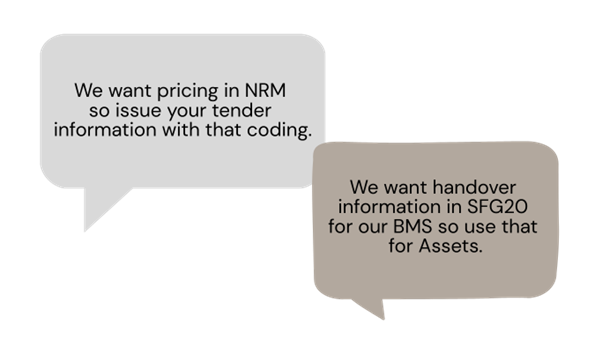
If an employer doesn’t engage with their Asset Requirements and is not specific and granular, then it will take time (and therefore money) to classify elements later on.
Further reading
The NBS Uniclass site is the best place to search, browse, and learn about Uniclass. You can download the most recent tables, discover how the tables have changed, and access previous versions.
Want to learn more?
Make sure you sign up to our mailing list to receive the next instalment in our Masterclass series. Join us next time where we’re going to talk all things exporting!